How a Program Lives in Memory: From Source Code to Running Process
How a Program Lives in Memory
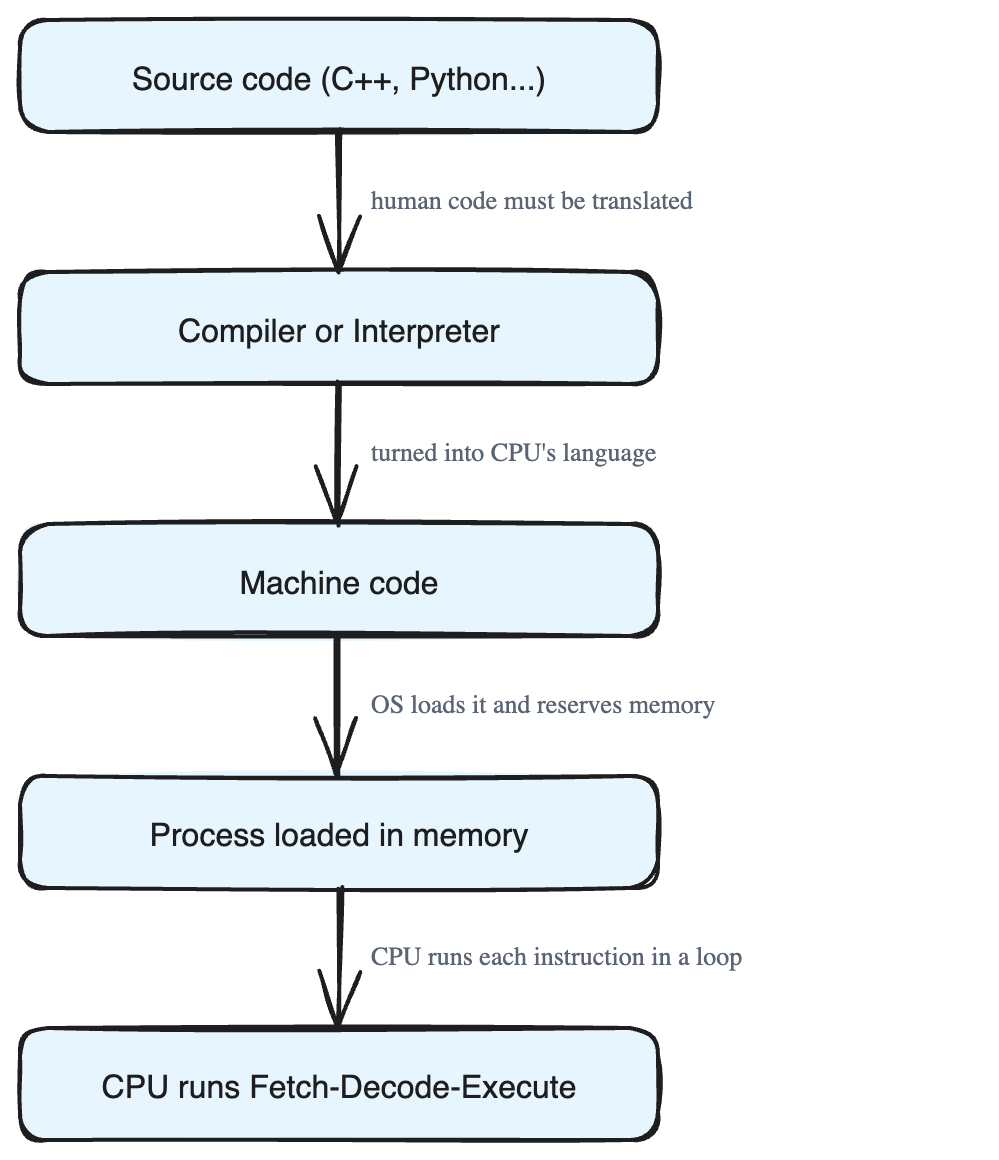
Before we learn recursion, we need a clear picture of what really happens when a program runs. A program does not just "work" by magic. It travels through several stages — from the words you type to actual actions happening inside the computer. Once you understand this journey, recursion will make much more sense later.
Let's follow a program through its whole life, step by step.
Stage 1: Writing the Source Code
Everything starts with source code. This is the set of instructions a programmer writes in a high-level language like C++, Java, or Python.
- It is human-readable — it uses words and symbols that people can understand, like
if,while, andint. - It is saved as plain text files on your storage drive (your hard disk or SSD).
Think of source code like a recipe written in English. A human cook can read it easily. But there is a problem: the computer's brain, the CPU, does not understand English. The CPU only understands very simple binary operations — basically patterns of 0s and 1s.
So the recipe written in human language must be translated into the CPU's own language. That need for translation leads us to the next stage.
Stage 2: Compiling or Interpreting
Translating source code into machine-readable code happens in one of two main ways: compilation or interpretation (and sometimes a mix of both).
Compiled languages (like C, C++, and sometimes Java):
- The whole program is translated all at once, before it runs.
- This produces a finished file of machine code that the computer can run directly.
- It's like fully translating a recipe into another language and printing the new cookbook before anyone starts cooking.
Interpreted languages (like Python and JavaScript):
- The code is translated and run line by line, while the program is running.
- No separate machine-code file is created ahead of time.
- It's like a live translator reading the recipe out loud, one line at a time, as the cook works.
Either way, the goal is exactly the same: turn human-readable instructions into a form the computer can actually run.
Stage 3: Creating a Process
When you run a program, the operating system (OS) turns that code into a running process. A process is simply a program that is actively being executed, with its own space in memory. How the OS does this depends on the language type:
- Compiled languages (C, C++, Rust): The program is already a binary executable (ready-to-run machine code). The OS loads it into memory, sets aside a block of memory called a virtual address space for it, and runs it directly on the CPU at full native speed.
- Interpreted languages (Python, JavaScript): The source code does not run by itself. Instead, the OS starts the interpreter as the process — for example,
pythonfor ascript.pyfile, ornodefor ascript.jsfile. The interpreter then reads, translates, and runs your code line by line, all inside its own process.
In every case, when execution begins, the OS does three things:
- Allocates memory (reserves space for the program).
- Loads the instructions the program needs.
- Starts the CPU at the exact point where the program (or interpreter) is ready to begin.
Stage 4: Executing the Process
This is where the program finally comes to life. The CPU keeps repeating one core loop called the Fetch-Decode-Execute Cycle:
- Fetch — grab the next machine-code instruction from memory.
- Decode — figure out what that instruction means.
- Execute — actually do it.
Then it repeats, again and again, for every instruction in the program.
During this cycle, parts inside the CPU do the real work:
- The Arithmetic Logic Unit (ALU) performs calculations and makes decisions (like adding numbers or comparing values).
- Registers are tiny, super-fast storage spots inside the CPU that hold data while it is being worked on.
While running, the CPU constantly talks to memory and to input/output devices (keyboard, screen, files, and so on). This stage is what turns those still, silent instructions sitting in memory into real, visible actions on your computer.
A Quick Note on Hybrid Languages (like Java)
Java sits in the middle of these two worlds:
- First, the source code is compiled into bytecode — a halfway form that is not full machine code yet.
- When you run it, the JVM (Java Virtual Machine) becomes the active process and interprets that bytecode during execution.
Why Any of This Matters
A program's performance — how fast and smoothly it runs — depends on two things:
- How efficiently the CPU can execute the instructions.
- How well the code and data are organized in memory.
Optimised code reduces unnecessary operations and makes better use of the CPU's resources. Keeping this big picture in mind — source code, translation, process, and the Fetch-Decode-Execute cycle — is the foundation we will build on when we study recursion next.