Understanding a Binary Tree
Understanding a Binary Tree
What is a tree?
Think about a family tree, or the way a company is organized: one boss at the top, a few managers under that boss, and more workers under each manager. A tree in programming works the same way. It is a way to store data so that items are arranged in levels, from a single top item branching down to more items below.
The word for this arrangement is hierarchical — it simply means "in levels, top to bottom." This is different from a linear data structure, like a list, where items sit in one straight line, one after another. A tree spreads out instead of going in a single line, so we call it a nonlinear data structure.
Nodes and edges
Every item stored in a tree is called a node. You can picture a node as a circle that holds one value (a number, a name, anything).
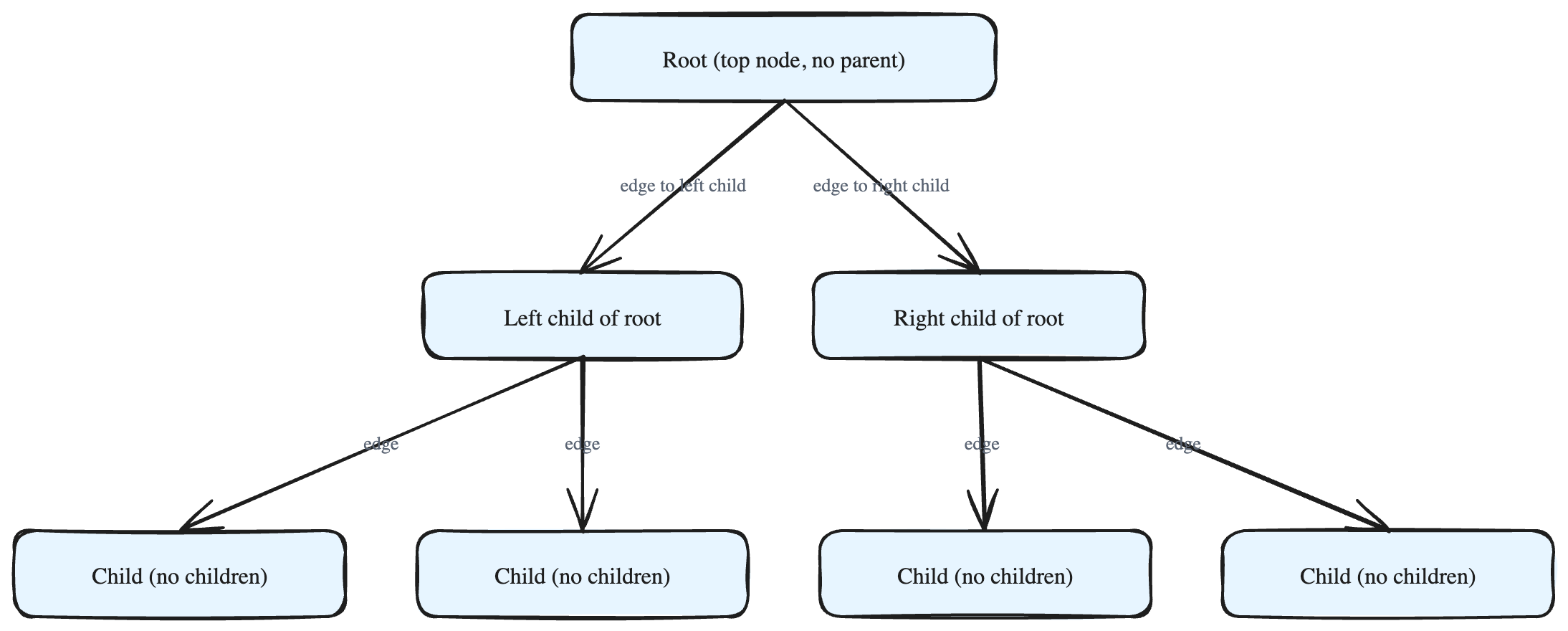
The lines that connect the nodes are called edges. An edge always links two nodes together. In the picture, the small circles are the nodes and the lines between them are the edges.
Edges can be:
- Unidirectional — you can travel along the edge in one direction only (for example, only from a parent down to its child).
- Bidirectional — you can travel along the edge in both directions (parent to child, and child back to parent).
Parent and child
A tree has one special node right at the very top. It is the starting point of the whole tree, and we usually call it the root.
For every other node:
- The node directly above it (the one it connects up to) is its parent.
- The nodes directly below it (the ones it connects down to) are its children.
A simple rule to remember:
- The topmost node is the only node with no parent.
- Every other node has exactly one parent.
- Any node can have zero or more children. A node with no children sits at the bottom edge of the tree.
An important rule: no cycles
In a tree, edges only ever go between a parent and its child. Because of this, you can never start at a node, follow the edges, and end up back where you started. A loop like that is called a cycle, and a tree is not allowed to have cycles. This is what keeps the shape neat — it always flows downward from the root, never circling back.
What makes it a *binary* tree?
A binary tree is just a tree with one extra limit:
> Every node can have at most two children.
The word "binary" means "two." So in a binary tree:
- A node can have 0 children,
- or 1 child,
- or 2 children,
- but never 3 or more.
These two children are usually thought of as the left child and the right child. That is the only difference between a general tree and a binary tree: the cap of two children per node. Every other idea — root, parent, child, node, edge, no cycles — stays exactly the same.
In short: a binary tree is a neat, branching, top-down structure where each node holds a value and points down to at most two other nodes. We will dig deeper into each of these terms in the lessons that follow.