Designing a Dynamic Array
Designing a Dynamic Array
Imagine you have a row of boxes to store numbers. A normal array in many languages has a fixed number of boxes. Once you create it with 5 boxes, you are stuck with 5. If you need a 6th box, you are out of luck. That is annoying, because in real programs we often do not know how many items we will need ahead of time.
A dynamic array solves this. It is an array that can grow as you add more items. You never have to decide its final size in advance. It just keeps making room for you.
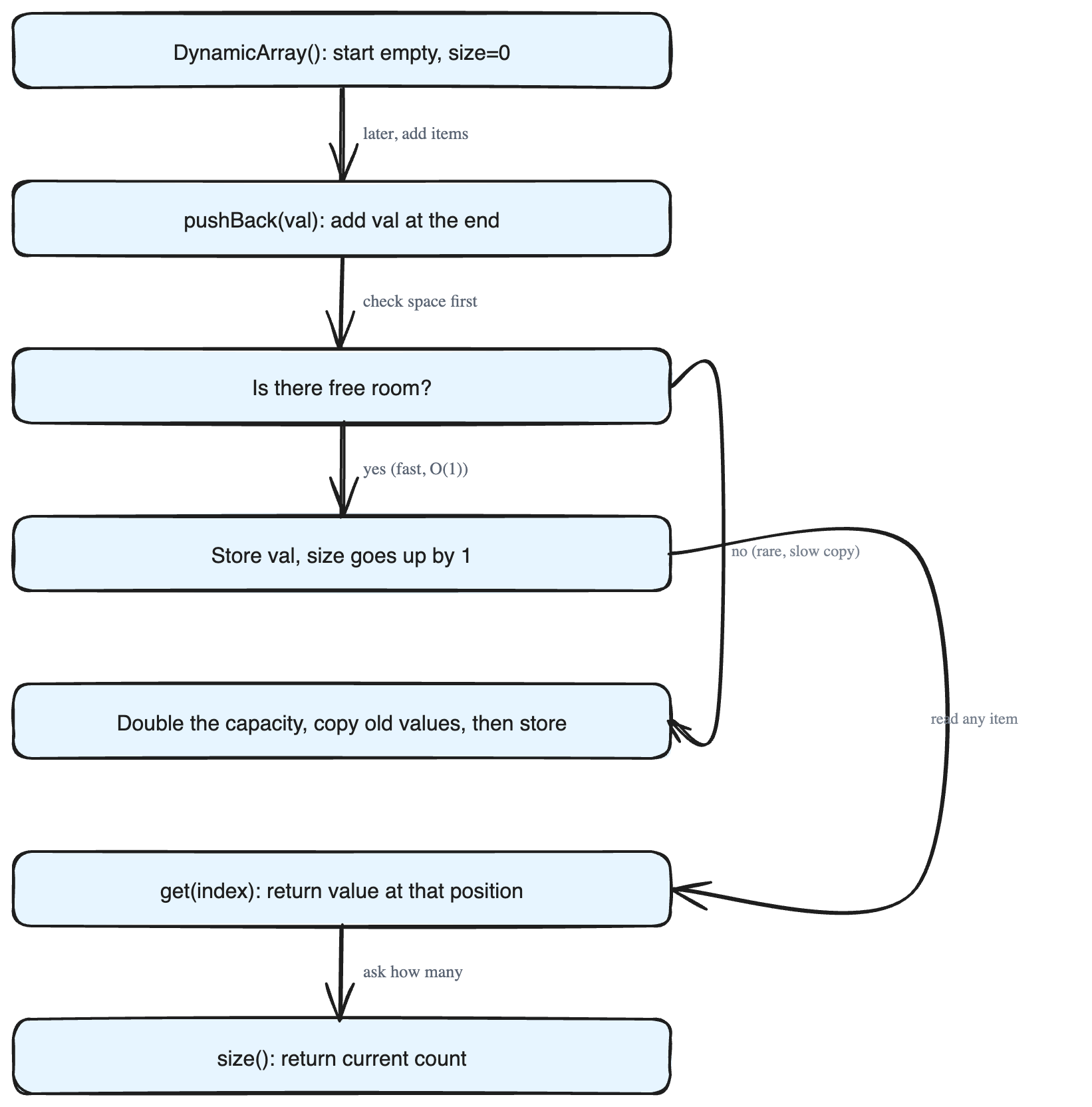
In this lesson, we build our own dynamic array by completing a class called DynamicArray. We need to make four operations work.
The four operations
DynamicArray()— This is the *constructor*. It runs once when you first create the object. Its job is to set everything up: start with an empty array, ready to receive values.
pushBack(int val)— This adds the valuevalto the end of the array. Think of it as putting a new item at the back of a line. The array gets one element longer.
get(int index)— This returns the value stored at a given position. Positions are counted starting from0. Soget(0)gives the first value,get(1)gives the second, and so on.
size()— This tells you how many items are currently stored. If you have pushed 3 values,size()returns3.
A quick example
Suppose we run these steps:
- Create the array. Now
size()is0. pushBack(10)→ array is[10],size()is1.pushBack(20)→ array is[10, 20],size()is2.pushBack(30)→ array is[10, 20, 30],size()is3.get(1)→ returns20(the value at index1).
The important rule: amortised O(1)
Every operation must run in amortised O(1) time. Let us unpack that.
- O(1) means the work takes the same small amount of time no matter how big the array already is. Adding the 1000th item should be as fast as adding the 2nd.
- Amortised means *on average over many operations*. Here is the catch: when the array runs out of room, it has to allocate a bigger block of memory and copy everything over. That one copy step is slow. But it does not happen often. The trick is to double the capacity each time it fills up. Because doubling happens rarely, the cost of those occasional slow copies, spread across all the fast pushes, averages out to a small constant. So *on average* each
pushBackis still O(1), even though a few of them are expensive.
This doubling strategy is the heart of how real dynamic arrays (like vector in C++ or ArrayList in Java) work under the hood.
The skeleton we fill in
using namespace std;

class DynamicArray {
public:
    DynamicArray() {

    }
    void pushBack(int val) {

    }
    int get(int index) {

    }
    int size() {

    }
};
Our task is to write the body of each empty method so the four operations behave exactly as described above, while keeping every operation fast (amortised O(1)).