How Multidimensional Arrays Are Stored in Memory
How Multidimensional Arrays Are Stored in Memory
You already know what a multidimensional array is and why it is useful for holding lots of data. Now let's open the hood and see how the computer actually keeps these arrays in memory.
The memory model: one long row of blocks
Think of your computer's memory (RAM) as one very long shelf. The shelf is split into many small blocks, placed one after another in a single straight line.
- Each block can hold a small piece of data (for example, 8 bits — one byte).
- Each block has its own address, which is just a number that tells the computer exactly where that block sits:
0,1,2,3, and so on. - The computer can read or write a piece of data only if it knows the address of the block where it lives.
The key idea: memory is one-dimensional. It is just a flat, linear sequence of numbered blocks. There are no rows and columns inside the actual hardware — only a single line.
The problem: arrays have shape, memory does not
A multidimensional array has *shape*. A 2D array looks like a grid with rows and columns. A 3D array looks like a stack of grids. In your head and in your code, the data lives in this nice grid form.
But memory is just one straight line. So a grid cannot be stored directly. We need a trick.
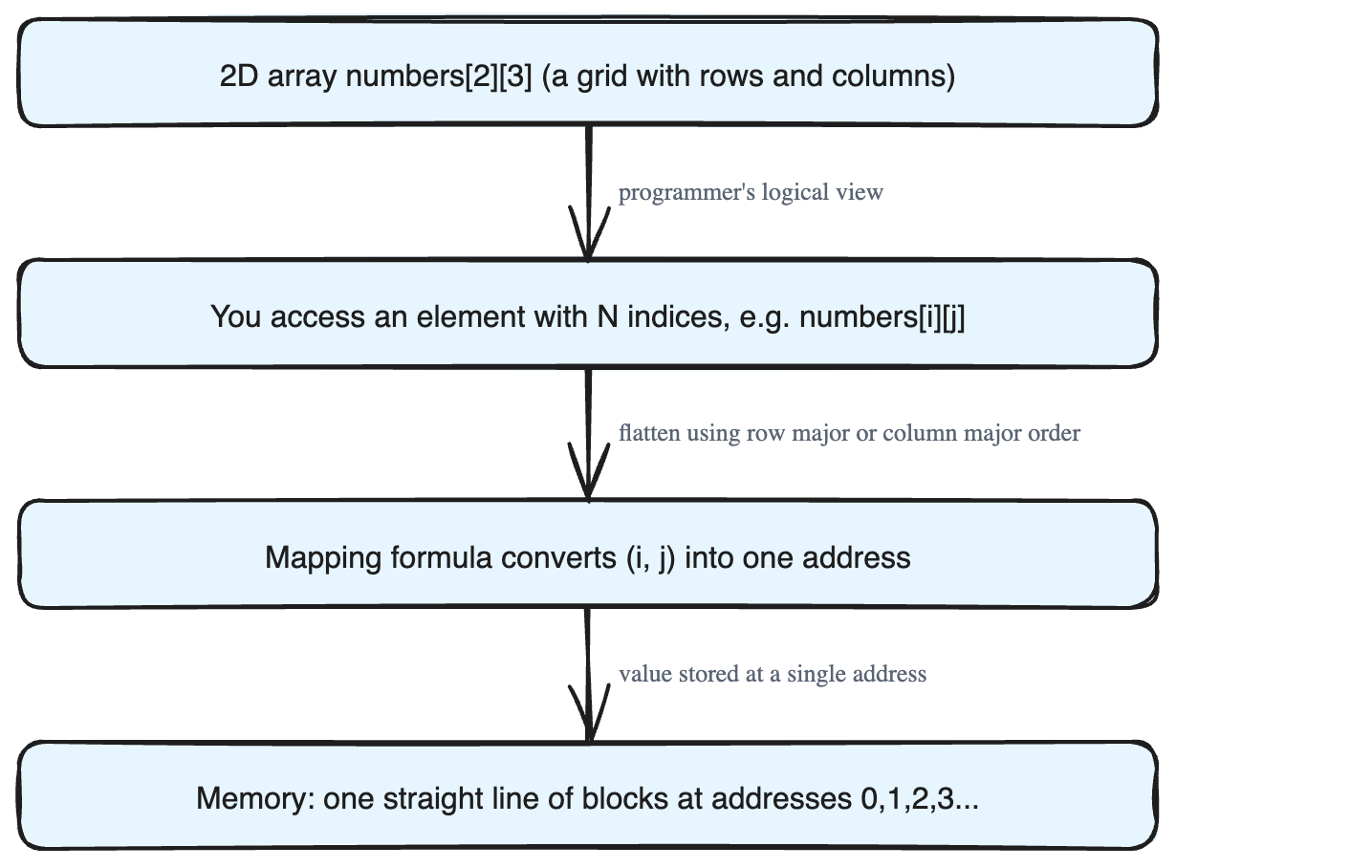
> The solution: take the N-dimensional array and map it onto a one-dimensional line of blocks. We flatten the grid into a single row, place every value into the linear memory one after another, and remember a rule for where each value goes.
So a 2D array like {value1, value2, value3, ...} gets laid out in memory as a plain sequence: value1, value2, value3, ... in consecutive blocks.
Two coordinate systems that must match
There are really two views of the same data:
- The programmer's view (logical): You imagine the data in N-dimensional space, so you reach an element using N indices — its coordinates. For a 2D array you write something like
numbers[i][j]. The two numbersiandjare the coordinates of the element. - The machine's view (physical): The data actually sits in one-dimensional memory, so it is found using one address.
Because of this gap, the computer needs a fast and efficient formula that converts the N indices you typed (like i and j) into the single memory address where that value is really stored. This conversion happens constantly, so it must be quick.
A quick word: serialization and deserialization
You may hear these two terms:
- Serialization means converting a data object into another form that is easier to store or send, while keeping all of its information (its "state").
- Deserialization means taking that converted form and turning it back into the original object, exactly as it was.
Mapping a grid into a flat memory line is the same kind of idea: change the form for storage, then be able to recover the original.
How do we choose the mapping order?
When we flatten a grid into a line, we must decide the *order* in which the elements go in. There are two common techniques:
- Row major ordering — store the array one full row at a time.
- Column major ordering — store the array one full column at a time.
Different programming languages pick different orders. In the upcoming lessons, we will study both orderings in detail and see which languages use each one.
The main takeaway: memory is a single straight line of addressed blocks, multidimensional arrays must be flattened to fit into it, and a simple formula maps your N indices to one address — using either row major or column major order.