Multidimensional Arrays: Arrays Inside Arrays
What Is a Multidimensional Array?
A normal array stores a list of simple values side by side — like a row of boxes, each holding one number. This works great until the data we want to store is itself a *group* of things. That is where multidimensional arrays come in.
A multidimensional array is simply an *array of arrays*. It is still a regular array, but each box, instead of holding a single value, holds another whole array. That inner array can itself hold arrays, and so on.
The number of "array inside array" layers is called the dimension of the array. There is no limit to how deep this can go:
- One-dimensional array — an array of plain values (not arrays). Example:
value1, value2, value3. - Two-dimensional array — an array whose every item is a one-dimensional array.
- Three-dimensional array — an array whose every item is a two-dimensional array.
- ...and this can keep going to any depth.
A simple way to picture it: a one-dimensional array is a single *row* of boxes. A two-dimensional array is a *grid* (rows and columns), because it is a row of rows. A three-dimensional array is a *stack of grids*, because it is a list of those grids.
Why Do We Need More Dimensions?
The best way to feel why this matters is to grow one real problem step by step: storing the ages of students.
Step 1 — One class (one-dimensional array)
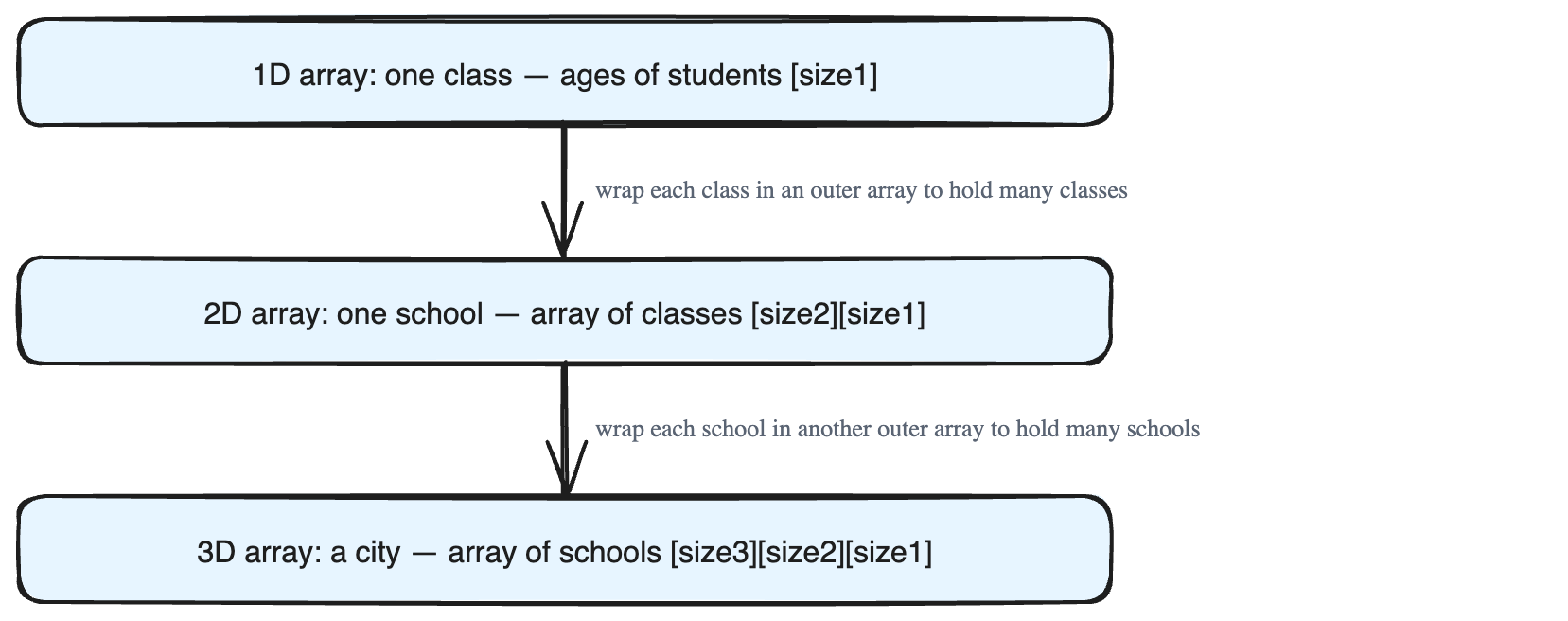
Imagine one classroom. Instead of creating a separate variable for each student's age, we put every age into a single array. The size of this array equals the number of students in the class (call it size1).
age = value1 value2 value3 value4 value5 value6 value7One variable now holds the ages of one whole class. Clean and simple.
Step 2 — Many classes (two-dimensional array)
Now the school has many classes (call this count size2). We *could* make one separate one-dimensional array for each class — but with hundreds of classes that means hundreds of separate variables. That does not scale.
Instead, we build a two-dimensional array: an array of arrays.
- The inner array holds the ages of all students in one class (size
size1). - The outer array holds one such inner array for every class (size
size2).
Picture a grid: each *row* is one class, and each *column position* in that row is a student's age. With a single variable we now hold the ages of every student in every class.
Step 3 — Many schools (three-dimensional array)
Push the problem one more step: store the ages of all students, in all classes, across all schools in a city (call the number of schools size3).
Rather than juggling many separate two-dimensional arrays, we use one three-dimensional array:
- The whole thing is an array of size
size3— one item per school. - Each item is a two-dimensional array of size
size2— the classes in that school. - Each of those items is an array of size
size1— the student ages in that class.
So ages[school][class][student] reaches exactly one student's age. Picture a stack of grids: each grid is a school, each row in a grid is a class, and each cell in a row is a student's age. All of this lives in one single variable.
The Big Idea
Every extra dimension lets one variable describe one more "level" of grouping — students → classes → schools. Multidimensional arrays let us handle bigger, naturally layered data cleanly, instead of drowning in a pile of separate variables.