How an Array Finds Your Data: Address Calculation and Dereferencing
How an Array Finds Your Data
We already know that an array keeps all its items side by side in memory. Now let's see the real trick: when you write array[2], how does the computer instantly jump to the right item? Let's follow the whole journey step by step.
A simple example to picture
Imagine an integer array with 5 items:
value1, value2, value3, value4, value5
This is just the *logical* picture in our heads — five boxes in a row. To understand what really happens, we need to place these boxes into actual memory.
Laying the array out in memory
Memory is like a very long street of small numbered slots, where each slot holds one byte. Every slot has an address (its house number).
Two facts decide where our array lives:
- Base address — the address where the array *starts*. In our example, this is 2. This is the house number of the very first item.
- Size of each item — how many bytes one item takes. Since this is an *integer* array, each item takes 4 bytes.
So the items don't sit at addresses 0, 1, 2, 3, 4. They sit 4 bytes apart, because each one is 4 bytes wide:
value1→ starts at address 2value2→ starts at address 6value3→ starts at address 10value4→ starts at address 14value5→ starts at address 18
Notice the pattern: each new item starts exactly 4 addresses after the previous one. The items are packed tightly together with no gaps. This "back-to-back" arrangement is called contiguous memory, and it is the secret that makes arrays so fast.
Calculating the address of any item
When you use the subscript operator [] with an index, the program does a tiny piece of math to find the address. It only needs two things it already knows: the base address and the size of each item.
The formula is:
address[i] = base address + (i * size)
Let's try it.
For array[2]:
address[2] = 2 + (2 * 4) = 2 + 8 = 10
So array[2] lives at address 10. That matches value3 in our layout above.
For array[3]:
address[3] = 2 + (3 * 4) = 2 + 12 = 14
So array[3] lives at address 14, which is value4.
Here is the beautiful part: the program does not scan through the array one item at a time. It computes the exact address in a single step. That is why reading array[2] and reading array[4000] take the same tiny amount of time. This is why arrays give "instant" access by index.
Step two: dereferencing (reading the actual value)
Finding the address is only half the job. Knowing that array[2] lives at address 10 doesn't yet tell us *what number is stored there*. We still have to read it.
The program knows the array holds integers, and an integer is 4 bytes. So starting at the calculated address, it reads the next 4 bytes together and treats them as one whole integer. Reading the value stored at a given address — and interpreting those bytes based on their type — is called dereferencing.
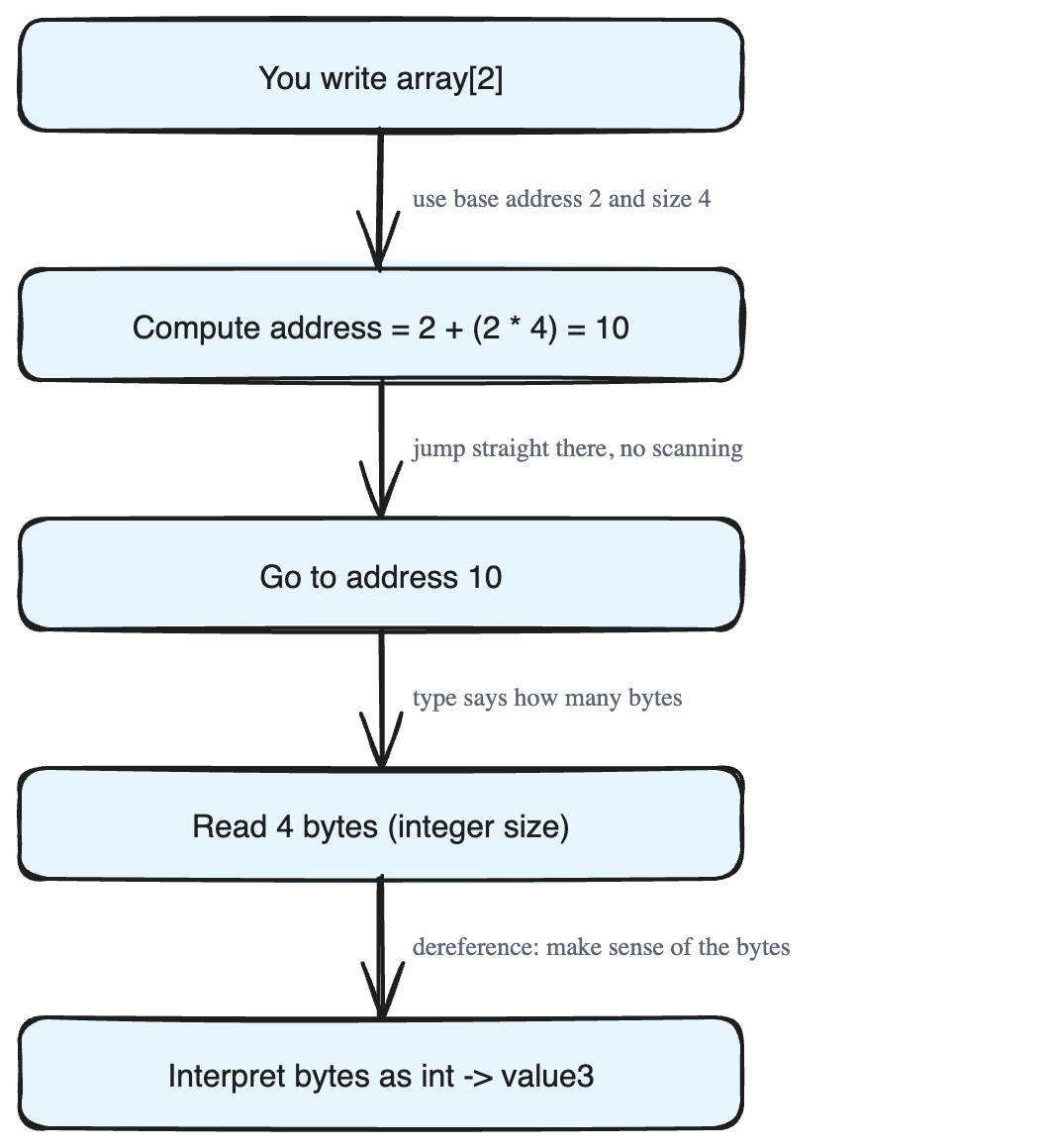
So the full picture for array[2] is:
- Compute the address:
2 + (2 * 4) = 10. - Go to address 10 and read 4 bytes.
- Interpret those 4 bytes as an integer → you get
value3.
The data type matters during this step. The type tells the program *how many bytes to read* and *how to make sense of them*. The same bytes could mean different things if read as a different type. That's why the array's element type is so important.
Where pointers come in
A pointer is just a variable that stores a memory address. Dereferencing is the act of going to the address a pointer holds and reading the value there, using the pointer's type to interpret it.
Lower-level languages like C and C++ hand pointers directly to the programmer, letting them reach into any part of a block of memory and work with it freely.
You usually don't have to think about any of this
In most modern programming languages, all of this address math and byte reading happens quietly "under the hood." You just write array[2], and the language handles the rest. You can store any data type in an array and trust the language to fetch it correctly.
And remember: we used 4-byte integers here only as an example. The exact same idea works for any data type — only the *size* number in the formula changes.